Thursday, May 27, 2010

Top Ps2 Games Under $20 Volume I


I LOVE video games. Yep thats about it. I love being able to take the form of some heroic figure to save the day. Be it a highly advanced space ship trying to save the galaxy or a lowly fairy boy trying to save a princess and her kingdom. I have been playing video games since the Atari 2600 came out with its stick-figure-like graphics. With the systems as advanced as they are now, it is as if you are part of a live action movie making your way to the credits. Sometimes, in between tearing heads of gorgons in "God of War 2" and running over prostitutes in "Grand Theft Auto: Vice City", I feel the need to relive those days where you only needed a couple buttons to be a hero. So instead of hooking up every system I have ever had in my life, I did some research on how to get the ps2 to play the old classics. And to help my fellow old school gamers, I put my research in this handy, easy to follow, tutorial.

First, and most importantly, you must have a modified PS2 or some sort of swap method disc to play burnt or copied games. A modified PS2 is just that, a PS2 that is modified with a mod-chip to be able to play games or other software that the normal out-of-the-box PS2 wouldn't. Modifying a PS2 voids the warranty so you may have opted for the second method, swap disc. The swap disc method is a method that uses a regularly programed PS2 game or disc to start the loading process then you "swap" your copied or burnt game. Normally games for the PS2 have whats called "boot sectors" (these can not be copied by a dvd writer, they have to be "stamped" at the factory) preset in to tell the PS2 it is a legit game for your region. The mod chip or swap disc bypass that part of the PS2's programing. A simple google (or your favorite search engine) for "PS22 mod chip" will find plenty of sites that sell mod chips or swap discs. If you don't feel you are that technically inclined to do the job yourself, there are sites that will do the service for you so you don't have to worry about ruining your black box.

Second, you need, of course, the program and the games. The program to use is called Snes-Station. This program is based of the snes emulator known as "SNES9x" and is programed by a gentleman that likes to be just called Hiryu. An emulator is a program for the computer that actually emulates the console so that you an play it on a computer as if it were a computer game. It basically tells the game itself it is being played on the system it was meant for so play as normal. The games that you need are actually called Roms. A Rom is a computer file which contains a copy of the data from a read-only-memory chip, often from a video game cartridge, a computer's firmware, or from an arcade machines main board. There is a lot of debate on the legality of distributing Roms so I won't link to where you can get some, but let's just say if you search about as long as it is taking you to read this article, you can find plenty.

Third. After you have all you need just open up your favorite cd or dvd burning program (depending on how many games you have a cd is fine). If you have winxp you don't even have to open a burning program just copy and paste to your cd drive. Depending on your program it is going to ask if you want a multi-session disk. Your answer is no, so do what you need to (check the appropriate box or what ever) to make sure its not multi-session. Ad the three programs from Snes-station. Then add the games. Yep that simple. Burn away and you are ready to play. Just use your controller to chose your game and
press "X".

On a side note depending on how many games you have you may want to add folders to separate them. I personally have them separated by genre so if I feel like wasting a day away with an RPG, I just pick that folder and decide from there. The extension (*.zip or *.smc) shows up on your PS2 screen so you may want to rename the game image so its easier to read (I.E. Final Fantasy__.zip). I always ad enough underscores to keep the game names around the same length just to make it look clean.

If this has helped you or you are like me and love more systems and old school games feel free to look at my other articles for other systems and programs to use on your PS2.


03/02/2007 (Day 65) - PS2 Face by Kaptain Kobold


Wednesday, May 19, 2010

Playstation 2 Will be pricedropped


Yorkshire Traction 786, PS2 rebody at Barnsley Bus Station by Lady Wulfrun


Hey everyone, I’m John Garvin, creative director at Bend Studio. I’m excited to announce that Syphon Filter: Logan’s Shadow will be available for purchase on the PlayStation 2 on June 1!


Originally released on the PSP in 2007, we were very pleased that game critics and press recognized all the hard work the team put into the game, honoring it with some of the game industry’s most prestigious awards, including PSP Game of the Year from IGN: It was also #6 on IGN’s top 25 PSP games of all time.


Coming just a couple of years after our first PSP game, award winning Syphon Filter: Dark Mirror, our goal was to create another great chapter in the saga of Gabe Logan, blowing out both the game play and production values to create a state-of-the-art Syphon Filter experience. We got Azam Ali to write an amazing soundtrack, Syphon’s first theme song with lyrics and vocals. Azam’s haunting score is a large part of why this game is one of my personal favorites.


We got Greg Rucka to write the story: Greg’s written many novels and graphic novels, including two series of novels he wrote called Queen and Country and Atticus Kodiak. Greg liked the idea of playing with the notion of who Gabe’s “shadow” might be and he came up with the idea that Lian Xing, Gabe’s long-time partner, might have a past that’s catching up with her. Suddenly she disappears. Evidence piles up that she’s a double agent. I can’t say too much more without giving the plot away, but Greg brought a lot to the Syphon experience. You can read more about our collaboration here.


While the story, music and game play all translated perfectly to the PS2, we’ve made some important tweaks to the controller to please PS2 players. Taking advantage of the extra buttons on the DualShock 2, we’ve added a snap button to make getting in and out of cover easier; we’ve added “swing out and aim” to L1 to make fighting from combat more intuitive and of course, we’ve completely re-tuned the game for the extra analog stick. We’ve also up-rezed textures and effects to take advantage of the unique features of the PS2 hardware. So fans of the PSP game might want to re-experience Gabe’s adventure on the big screen with new controls, and those who have never played it have a treat in store for them.


Also, keep an eye out this summer for the first-ever Syphon Filter digital graphic novel.


Over 120 pages long, Syphon Filter: The Opposition Effect is a story that bridges Dark Mirror and Logan’s Shadow, explaining what happens between the two games: Gabe’s hatred of Ghassan al Bitar, his troubled background with Robert Cordell, and more of his history with the irrepressible Dane Bishop. You even find out what happened to Cobra, the neglected rookie agent who worked for Gabe in The Omega Strain. Be sure to look for it on the PlayStation Store this summer!


Granger cannot play Live & Reloaded online, wtf?!? @ May 3rd 2010 11:04AM

Neo-Geo AES had a 14 year run for software (official, first party at that).

Atari VCS/2600 probably had the longest, but with it's open development it's really hard to gauge when and where to draw the line with it. One of the last big games that I'm aware of was Ghostbusters II, and I think 'Atari' supported the console with development through at least 1990 so about 13 years (more depending on your definition of support).

And of course, the Game Boy had games through about 2003 (maybe later - I think Hamtaro was the last by Nintendo at least). So that's at least another 14 year lifespan.

NES/Famicom sat at 11, SNES/SFC sat at 10 . . . I'm sure there are more notables, especially with Mega Drive and Master System, just don't know the specifics.


Friday, May 14, 2010

Review of <em>Rock Band</em> Track Pack: Vol. 1 for PS2 and Wii


PS2 games collection by _ashka


The third in the Soul Calibur series – Soul Calibur III (PS2) is a treat for every gamer and features a multiplayer mode, excellent graphics and sounds and a decent storyline.


Did you know - you can become a game tester and make $10-$70 per hour just testing games for major companies. You  also get to keep the games that you test. Here are the complete details.


You can find the cheapest prices for games right here.


Below are the cheats for SoulCalibur III PS2 cheat codes. As far as I know, they all work just fine.


Unlock More Custom Templates


Assassin ... Achieve Level 30 using a Ninja class character in Chronicles of the Sword or engage in 410 battles.
Gladiator ... Achieve Level 30 using a Barbarian class character in Chronicles of the Sword or engage in 410 battles.
Knight ... Achieve Level 50 using a Gladiator class character in Chronicles of the Sword or engage in 610 battles.
Pirate ... Achieve Level 30 using a Thief class character in Chronicles of the Sword or engage in 410 battles.
Sage ... Achieve Level 30 using a Saint class in Chronicles of the Sword or engage in 410 battles.
Samurai ... Achieve Level 50 using an Assassin class character in Chronicles of the Sword or engage in 610 battles.
Swordmaster ... Gain a single level when all other jobs are above Level 50 in Chronicles of the Sword or engage in 610 battles.


Unlock More Weapons


Abelia ... Chapter 18 & Bonus or engage in 600 battles.
Abyss ... Defeat Abyss in Tales of Souls.
Aurelia ... Beat Tales of Souls using him.
Astaroth ... Beat Tales of Souls using him.
Demuth ... Chapter 10 & Bonus or engage in 500 battles.
Cassandra ... Beat Tales of Souls using her.
Cervantes ... Beat Tales of Souls using him.
Chester ... Chapter 19 & Bonus or engage in 600 battles.
Giradot ... Chapter 15 & Bonus or engage in 500 battles.
Ivy ... Beat Tales of Souls using her.
Kilik ... Beat Tales of Souls using him.
Lizardman ... Beat Tales of Souls using him.
Luna ... Chapter 11 & Bonus or engage in 500 battles.
Maxi ... Beat Tales of Souls using him.
Mitsurugi ... Beat Tales of Souls using him.
Nightmare ... Beat Tales of Souls using him.
Night Terror ... Defeat Night Terror in Tales of Souls.
Olcadan ... Beat Tales of Souls using him.
Raphael ... Beat Tales of Souls using him.
Rock ... Beat Tales of Souls using him.
Seung Mina ... Beat Tales of Souls using her.
Setsuka ... Beat Tales of Souls using her.
Siegfried ... Beat Tales of Souls using him.
Sophitia ... Beat Tales of Souls using her.
Strife ... Chapter 20 & Bonus or engage in 600 battles.
Taki ... Beat Tales of Souls using her.
Talim ... Beat Tales of Souls using her.
Tira ... Beat Tales of Souls using her.
Voldo ... Beat Tales of Souls using him.
Xianghua ... Beat Tales of Souls using her.
Yoshimitsu ... Beat Tales of Souls using him.
Yungsun ... Beat Tales of Souls using him.
Zasalamel ... Beat Tales of Souls using him.


Unlock Ancient Weapon


To get everyone's ancient weapon, you need to clear Olcadan's tutorial lessons with each individual character. You can find that in the Practice (single player) menu.

Saturday, May 8, 2010

The Annoying Xbox360 No Picture Problem


Upgrade your gear: This seems obvious but the game progresses at a linear pace, so make sure to upgrade your gear. That being said, the weapon with the bigger damage number doesn't always equal a better weapon. Take into account things like reload speed, accuracy, and fire rate.

Allocate your talents properly: Make sure to allocate your talents to compliment the weapons you choose to use, the type of game you want to play, and the role you want to play. There is a subtle difference in how you might spec based on whether you play with others or simply by yourself. Furthermore, talents that increase your favored weapon (i.e. Shotgun, Rifle, combat rifle, pistol, sniper rifle, or launcher) can hlep you kill mobs faster.

Use the proper elemental damage: Elemental damage can make a big impression on how fast you kill an enemy. A tip: use a corrosive (acid) elemental weapon (depicted with a green bio-hazard sign in the lower right-hand corner of the weapon pane) on spider ants and the Lance enemies you fight near the end of the game. The damage modifier eats through their shields and stack upon successive damage. (Tip: the the General Knoxx add-on, corrosive damage is your friend!)

Use your Action Skill: I played Mordecai (the Hunter) to level 61 and through my talent spec I was able to take my action skill (Blood wing) from 28 seconds to 13 seconds. This made a huge difference in the amount of damage I could dish out. Not only did my Bloodwing use elemental damage to wound my foes, his damage also healed me.

Use healing items: Healing, either through healing kits (they sit in your inventory), healing vials (they're expended upon your picking them up), and talents you can avoid dying.

Save the Cl4pTrp's: There are claptraps scattered throughout the lands of borderlands. If you bring them a repair kit, they'll grant you a BDU which confers 3 more inventory slots. If you have 42 slots, you get an achievement.

Do the side quests: Do every quest, no matter how trivial it may seem. This is because some parts of Borderlands are a bit grind-y. The side quests cut down on this some. For example, you may see a story quest to fight Bonehead, a level 11 named mob when you're only level 7. If you try to do a quest that is out of your level, you'll die...allot.

Play Online: Not only does online play net you more experience, but if makes the enemies tougher and more numerous as well as increasing the amount of rare to artifact (blue - orange colored) gear that drops. Remember, the levels of gear are: white, green, blue, purple, yellow, orange, dark orange. Just remember that if you have one experience with a loot ninja or bad player to not let it color your experience.

I hope these tips help you. Now get out there and play! Level 61 won't ding itself.


Skin personalizado twom xbox360 Jocker by Twom Vinilos

Friday, May 7, 2010

The Best Peripherals for Your Nintendo Wii


PlayStation3 and Wii Available for Sale on Amazon to Selected Customers by Paula Neal Mooney

Amazon is giving selected customers who already have an Amazon account a vote that gives them a shot at buying aSony PlayStation 3 (20GB), Sony PlayStation 3 (60GB) or the Nintendo Wii at non-exhorbitant prices. Here are the PS3 and Wii (hey, that rhymes) details from Amazon's site:

Just in time for the holidays, we're selling limited quantities of the ridiculously hard-to-find Sony PlayStation 3 (20GB and 60GB) and Nintendo Wii! First, select the item that you want: the Sony PlayStation 3 (20GB), the Nintendo Wii, or the Sony PlayStation 3 (60GB).

Next, click the "Sign up" button under that item to sign up for the chance to be randomly selected for the opportunity to purchase that item. The sign-up process ends on Sunday, December 17, at 11:59 p.m. Pacific time.

Check Amazon anytime on Tuesday, December 19 (12:00 a.m. - 11:59 p.m. Pacific time), to find out if you have been randomly selected for the opportunity to purchase the item that you signed up for. Account Creation Deadline: Monday, December 11, 11:59 p.m. PST

Sign-up Period: Saturday, December 16, 6:00 a.m. PST - Sunday, December 17, 11:59 p.m. PST

Buying Period: Tuesday, December 19, 12:00 a.m. PST - 11:59 p.m. PST

Vote here on Amazon and check Amazon's FAQ for all the dirty details...


So...of the Sony PlayStation 3 (20GB), Sony PlayStation 3 (60GB) and the Nintendo Wii, I signed up for a chance to buy the cheapest PS3. We'll see...

Bookmark http://www.paulamooney.blogspot.com/ to find out if I'll be playing a PS3 on Christmas day...

Tags:
PS3,wii,stock,for,sale,in,stock,playstation3 ,wii


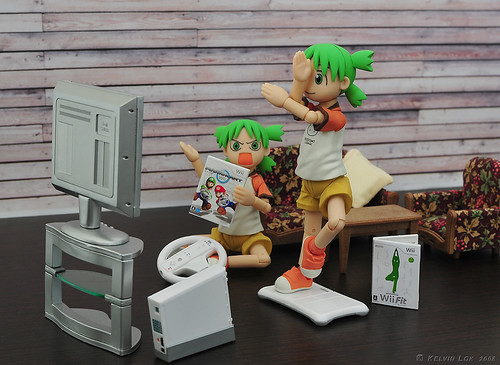
Yotsuba &amp; Wii by kelvin255